Open In SudokuMaker
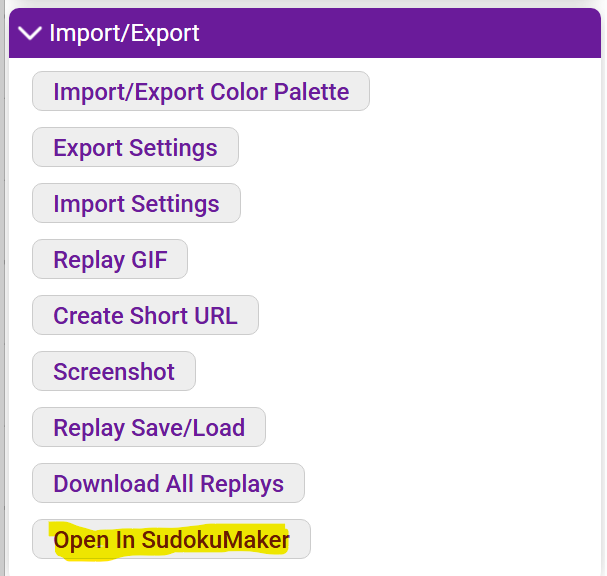
If you export a puzzle from SudokuMaker to SudokuPad with this script installed, SudokuPad will add an "Open In SudokuMaker" button to the import/export settings.
Installation
The user script needs Tampermonkey. After you installed Tampermonkey, install the Open in SudokuMaker user script.
How It Works
During each export from SudokuMaker to SudokuPad, the script generates a SudokuMaker short-url and attaches it to the exported puzzle. On the SudokuPad side, whenever a puzzle has an attached SudokuMaker short-url, the "Open In SudokuMaker" button is added to the import/export settings. Clicking that button will open the short-url.
Limitations
Users without this script installed will not see the "Open In SudokuMaker" button. Puzzles that were exported without this script installed will not show an "Open In SudokuMaker" button. Changes made to the puzzle after the export (such as json edits via penpa-edit) will not affect the SudokuMaker version of the puzzle.
Can Everyone See My SudokuMaker Links?
Not quite. The UI won't show the "Open In SudokuMaker" button unless the user-script is installed, but the puzzle-json will still contain the short-url. If this is a concern to you, you can disable the script and reload SudokuMaker before generating an export for a public release.
Will This Slow Down My Exports?
A little. Generating a SudokuMaker short-url takes around 0.3 seconds and this will be added to the 0.6 seconds that an export normally takes. But unless you run a lot of exports in a row, it will probably not be noticeable.